

Upgrade or opt out of Courtesy Pay
This step-by-step guide is here to help make your Civic experience faster and easier! Your experience may be slightly different than this guide, depending on the device you’re using. If you need additional help, contact us at 844-772-4842.
Device instruction type
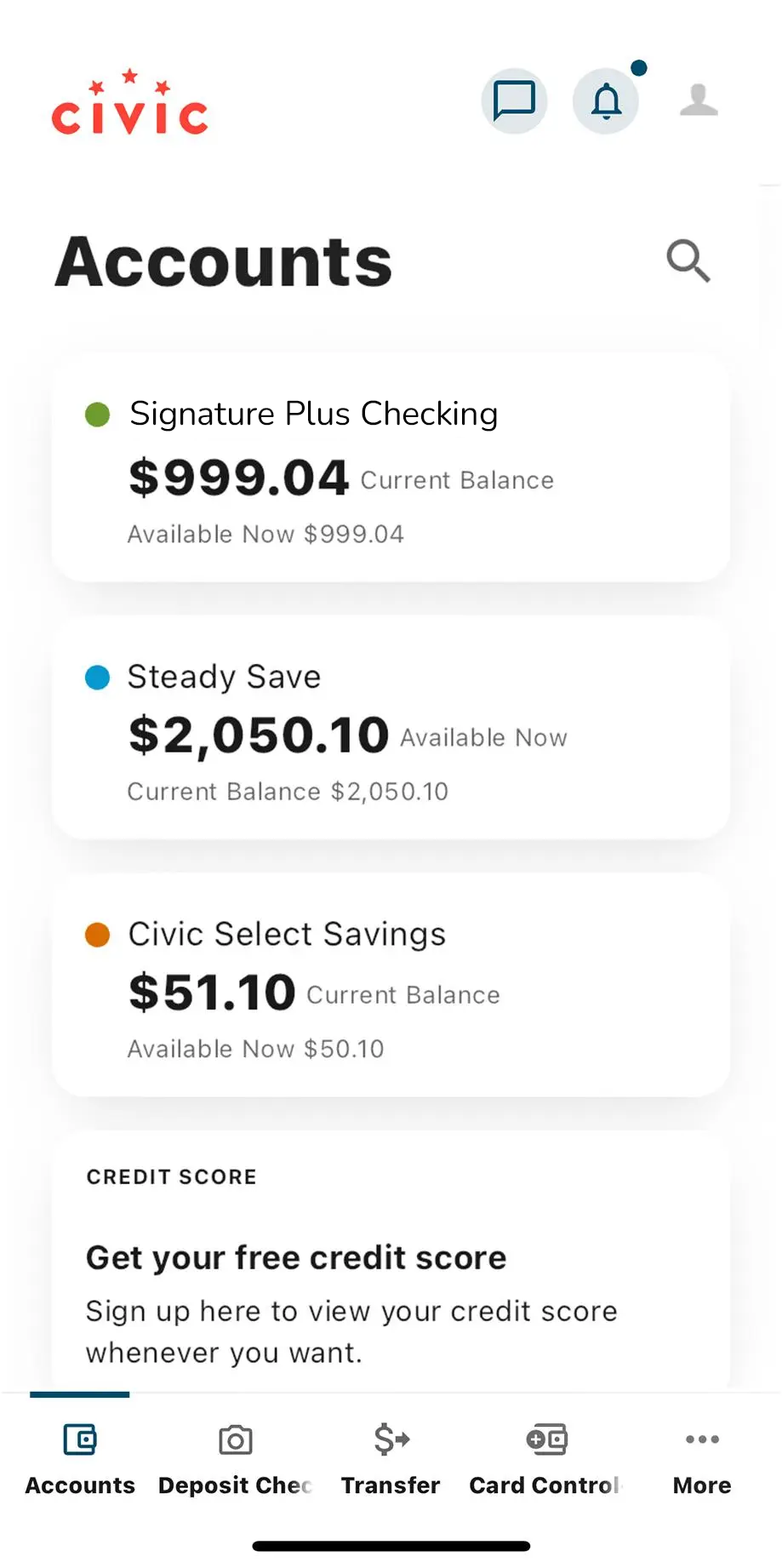
1. View accounts dashboard
Once you log in, you will see your accounts dashboard. This screen displays all of your Civic accounts and cards, and any external accounts you may have set up.
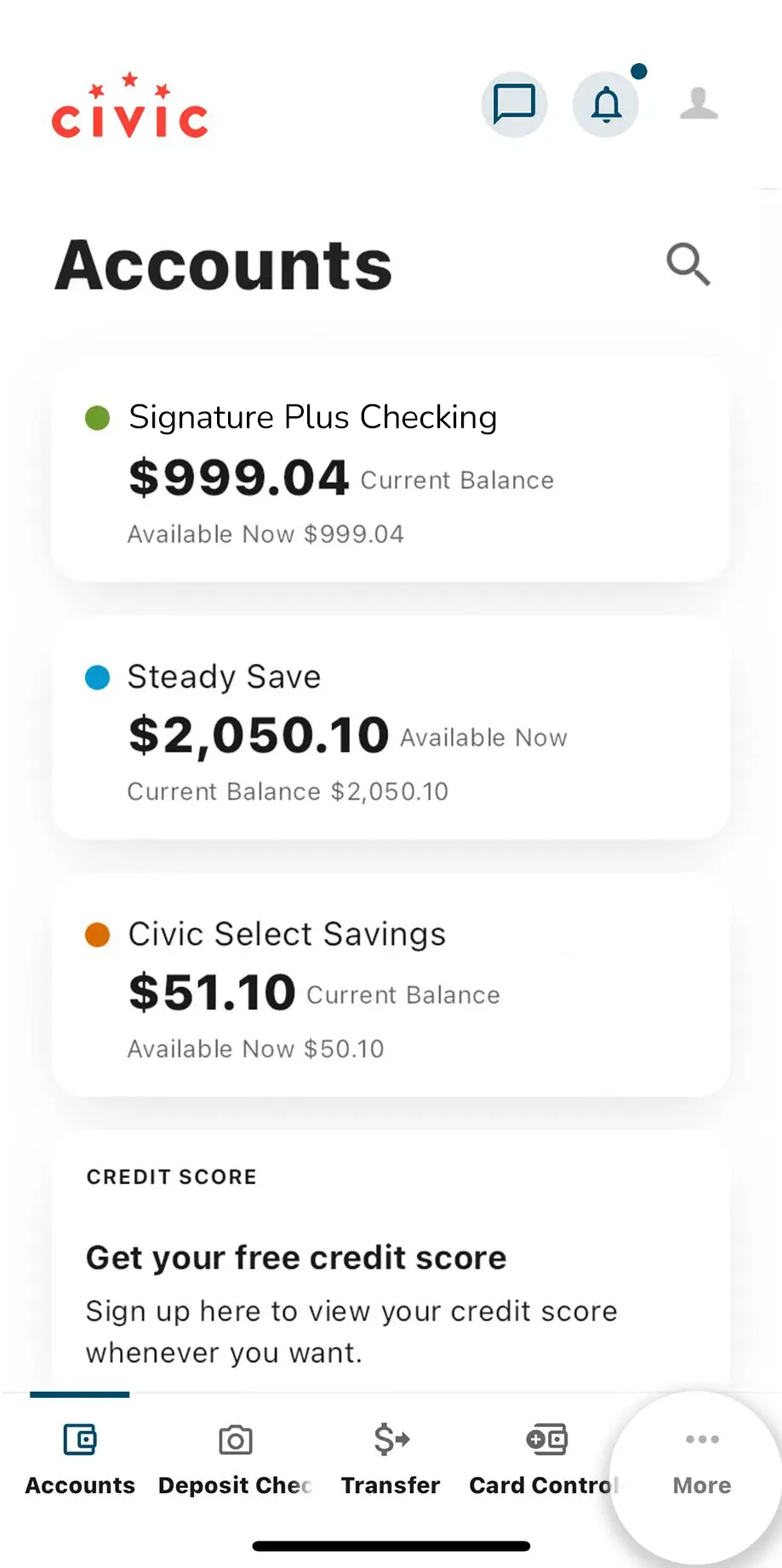
2. Tap 'More'
Tap More on the taskbar along the bottom of the app’s home screen.
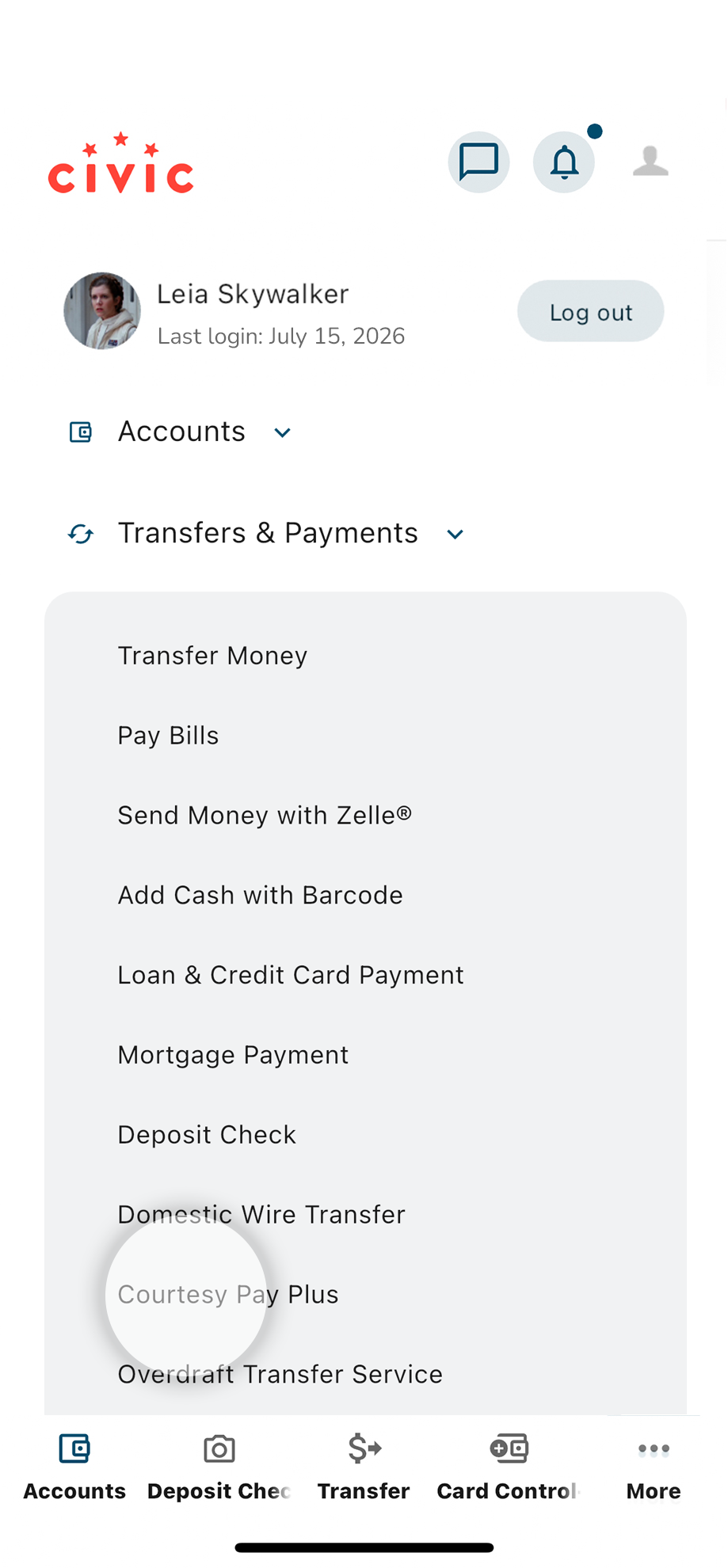
3. Locate Transfers & Payments
Expand the menu under Transfers & Payments and select Courtesy Pay
4. Review and select 'Enroll' to continue
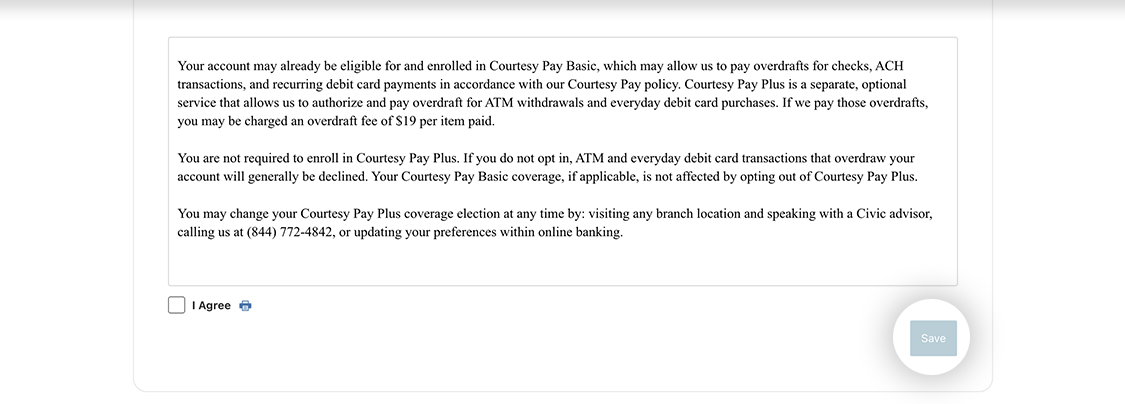
Review the information about Overdrafts and Overdraft Fees. Select Enroll to continue to the next screen, where you can choose to Opt In to upgrade to Courtesy Pay Plus or Opt Out to decline the upgrade.
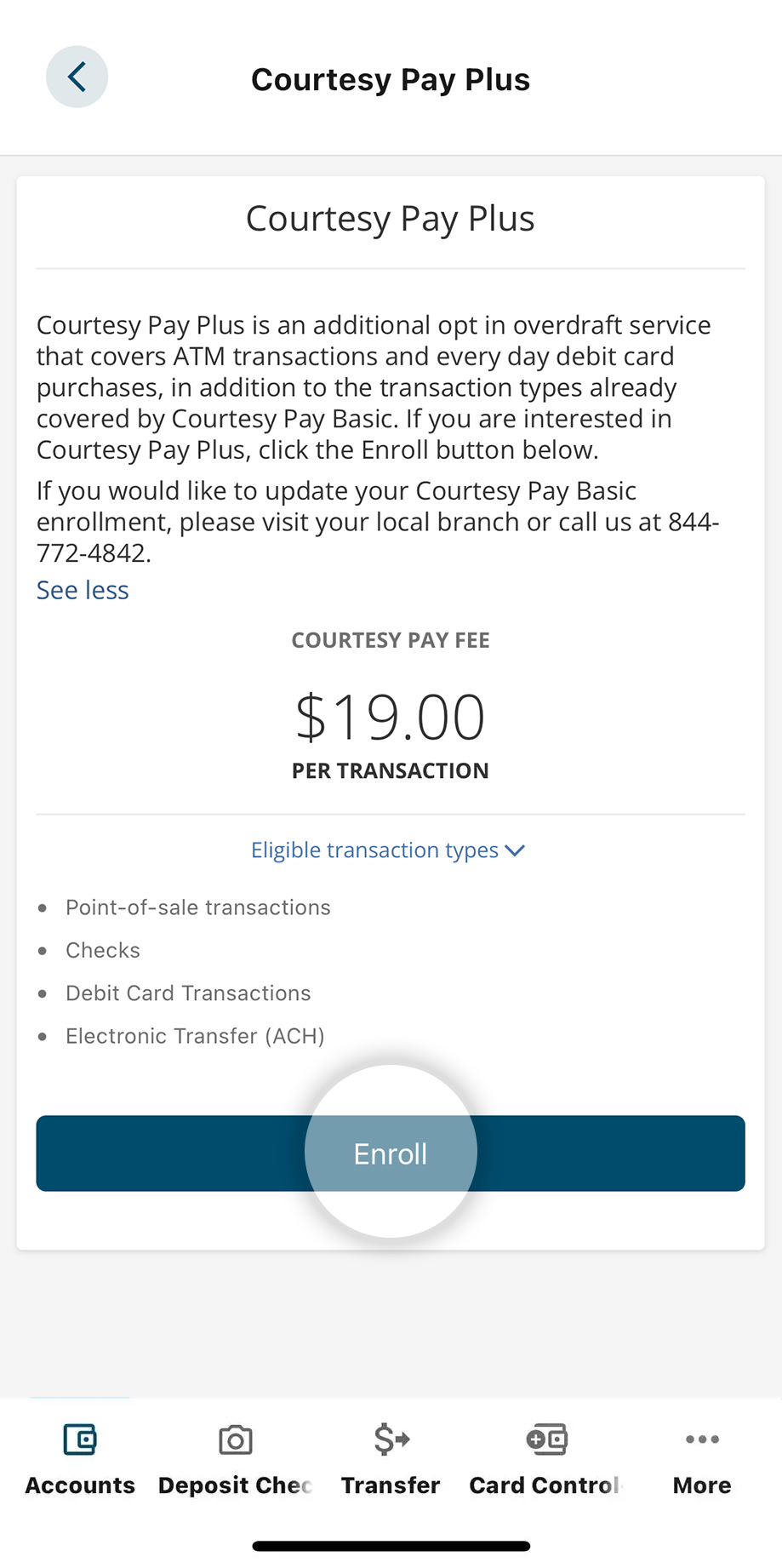
5. Select Opt In to upgrade to Courtesy Pay Plus or Opt Out to make your change
Select the Opt In radio button to the account you wish to upgrade to Courtesy Pay Plus or select the Opt Out radio button for the account you wish to disconnect from Courtesy Pay Basic.
- Opt In to the account you want added to Courtesy Pay
- Opt Out of Basic to discontinue Courtesy Pay altogether
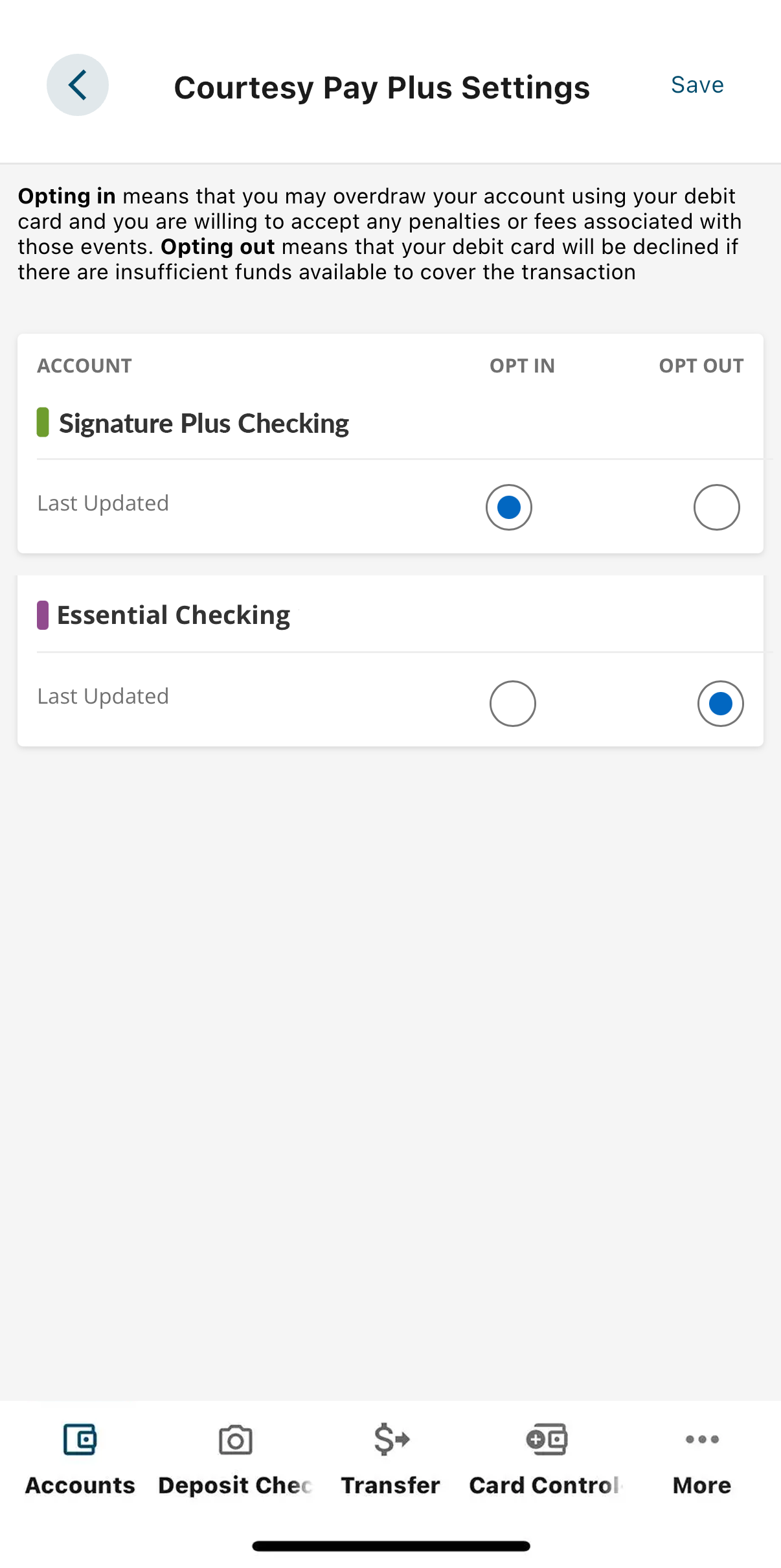
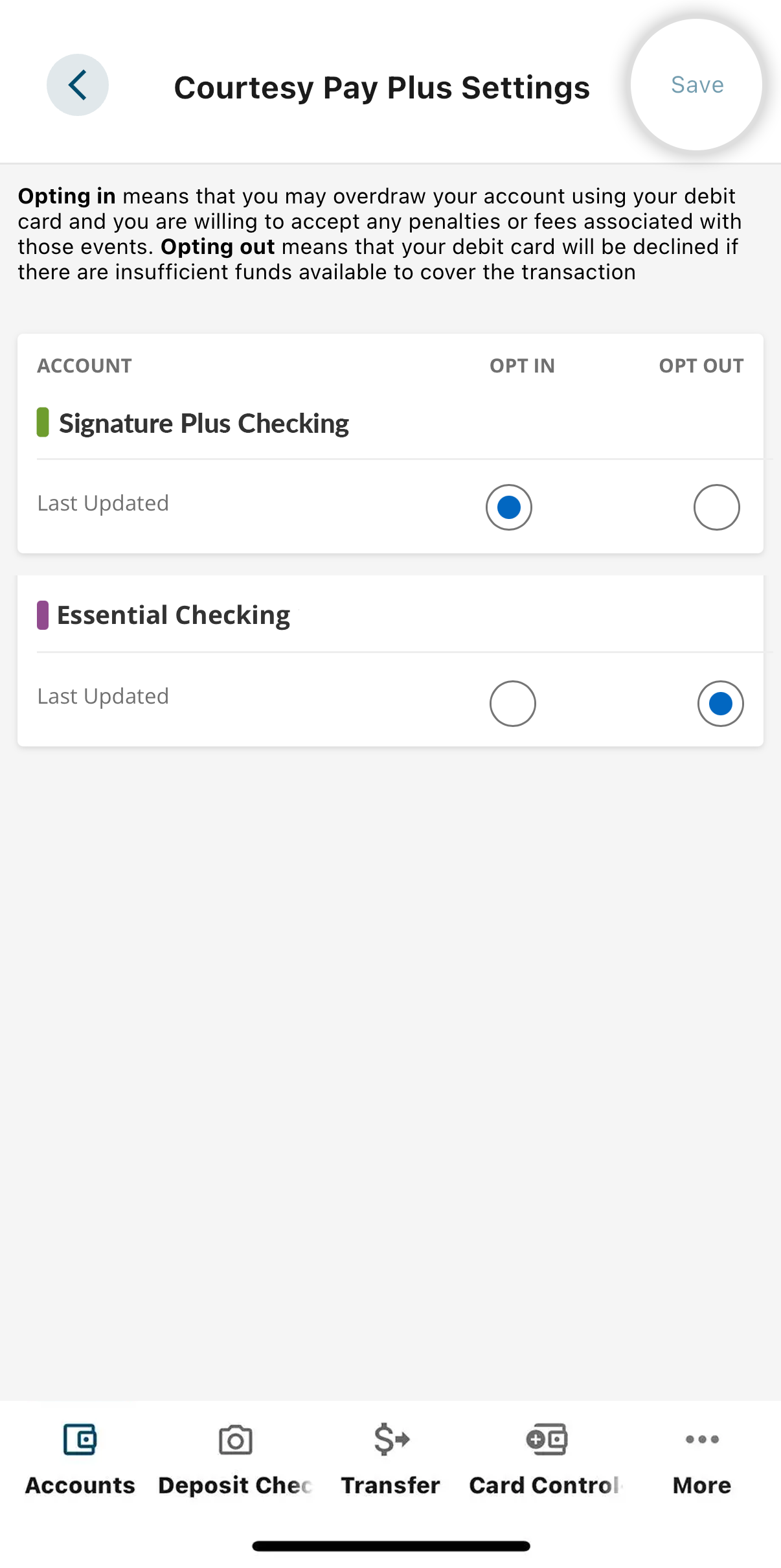
6. Select 'Save'
Once you’ve made your choice(s), click Save to continue.
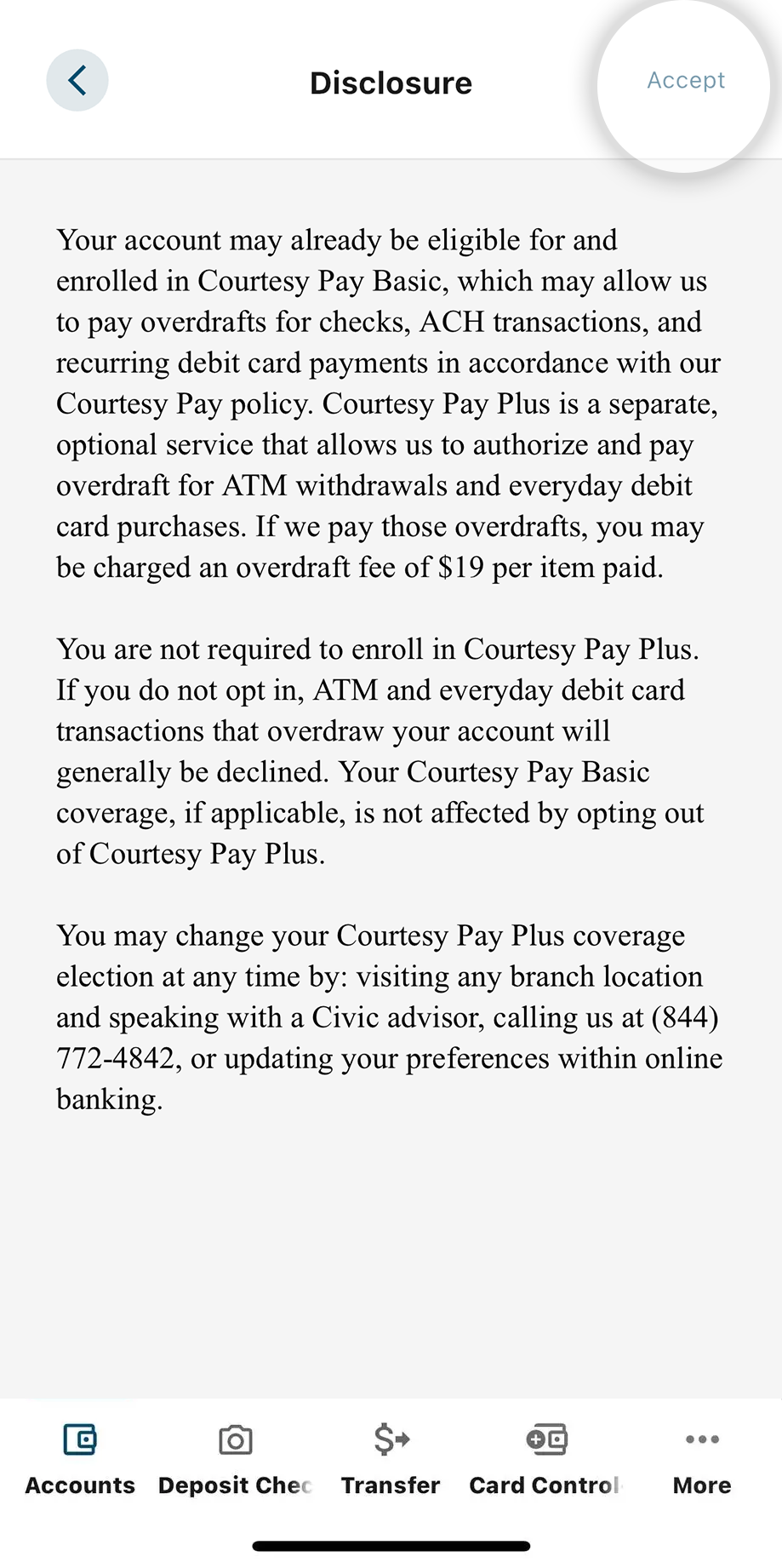
7. Select 'Accept'
Review the Courtesy Pay Disclosure, then select Accept to confirm your election(s). A confirmation email will be sent to the email address on file.
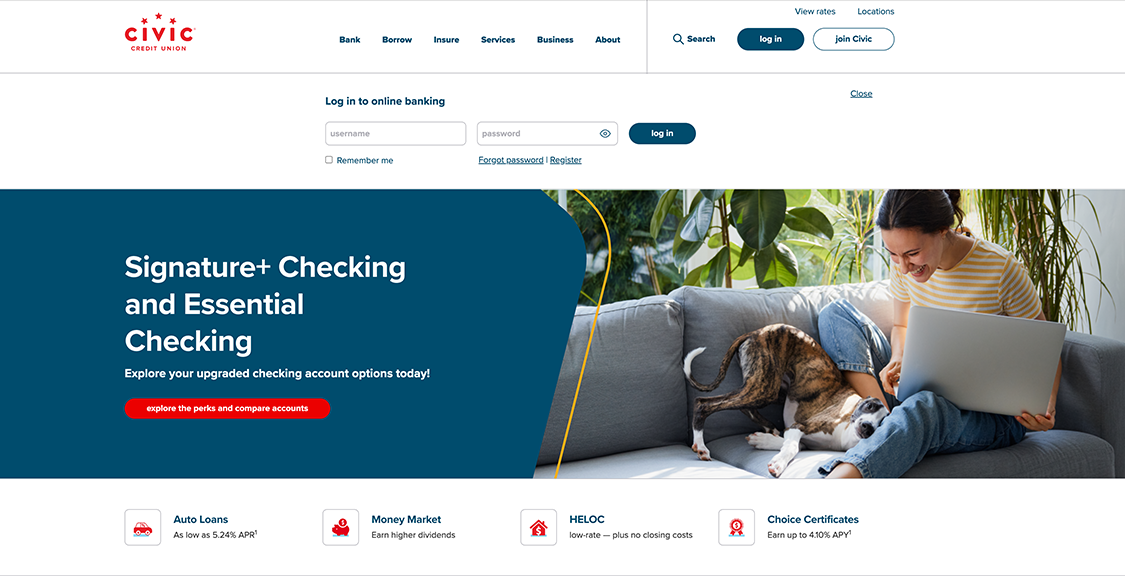
1. Log in to online banking
Use your username and password to log into your account.
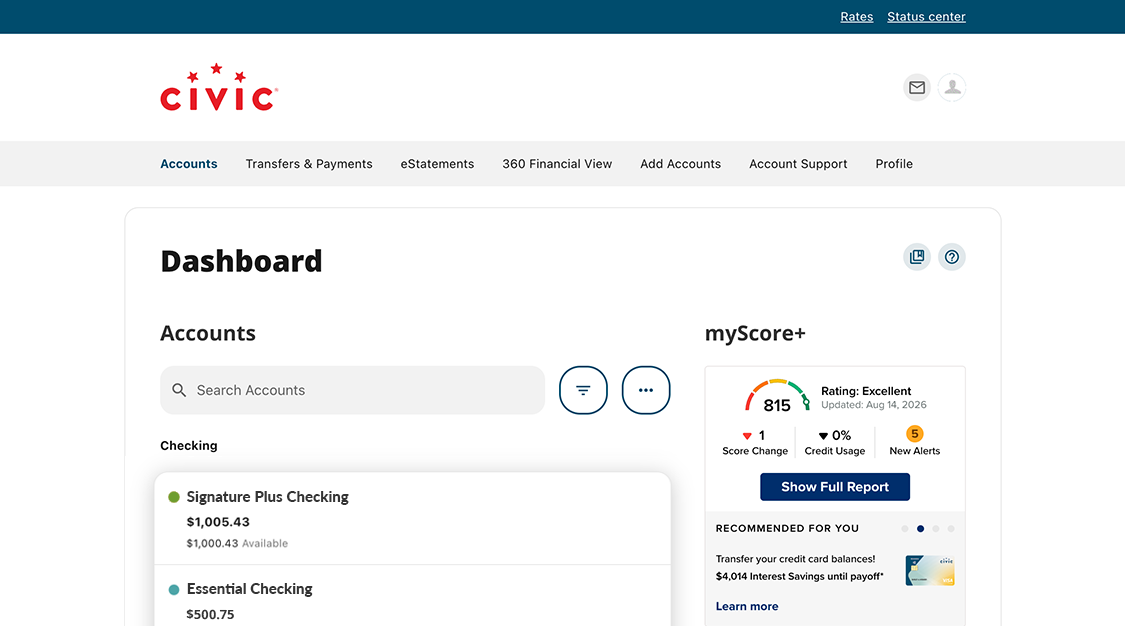
2. View accounts dashboard
Once you log in, you will see your accounts dashboard. This screen displays all of your Civic accounts and cards, and any external accounts you may have set up.
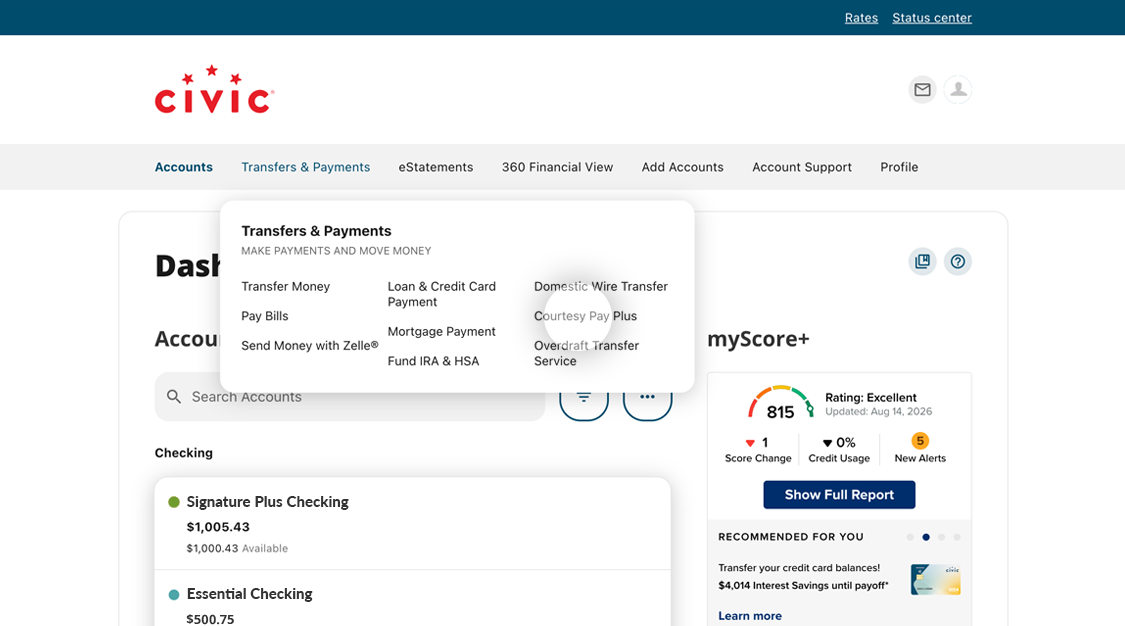
3. Locate Transfers & Payments
Expand the menu under Transfers & Payments and select Courtesy Pay
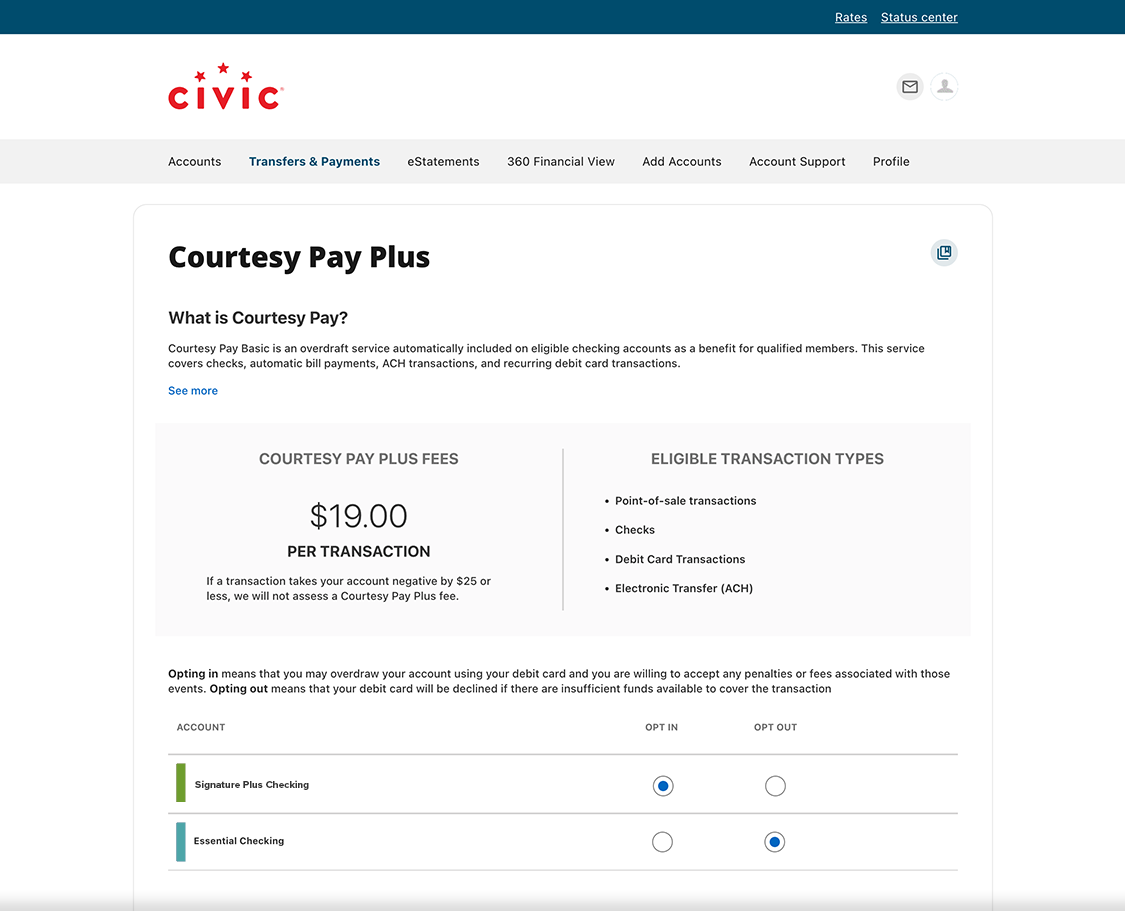
4. Select Opt In to upgrade to Courtesy Pay Plus or Opt Out to make your change
Select the Opt In radio button to the account you wish to upgrade to Courtesy Pay Plus or select the Opt Out radio button for the account you wish to disconnect from Courtesy Pay Basic.
- Opt In to the account you want added to Courtesy Pay
- Opt Out of Basic to discontinue Courtesy Pay altogether
5. Select 'I Agree'
Review the information about Overdrafts and Overdraft Fees before selecting the button
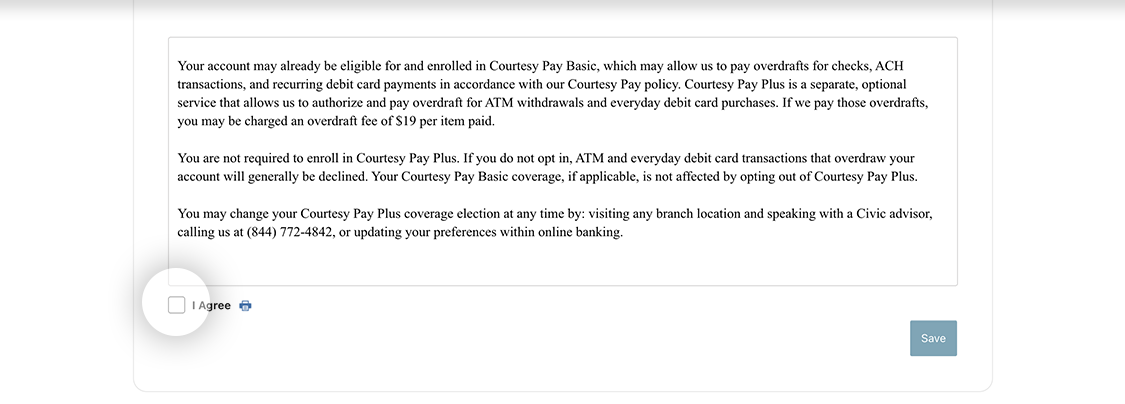
6. Select 'Save'
Record your choice(s). An email will be sent to the email address on record confirming your election